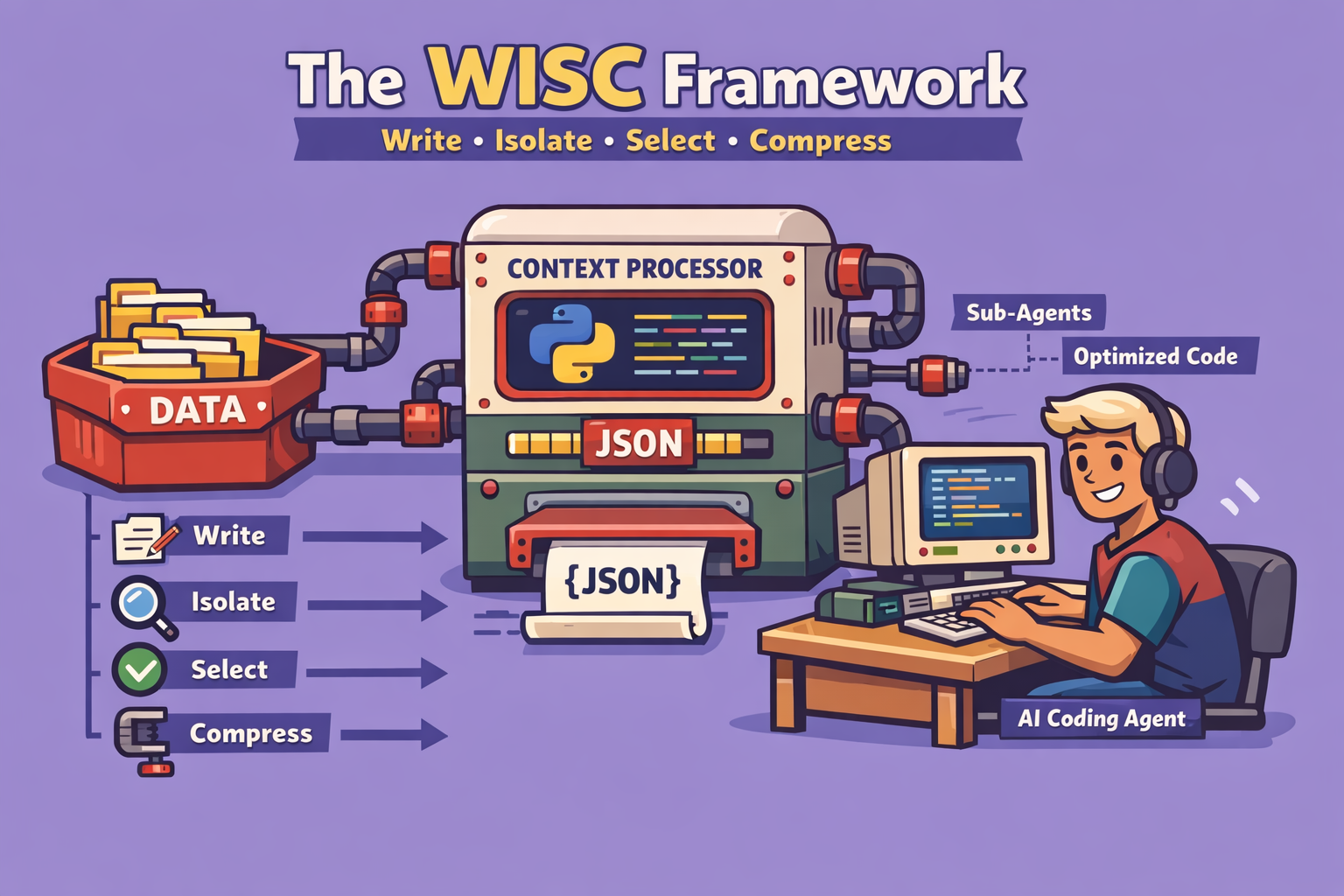
The landscape of AI coding assistants is rapidly evolving, with tools like Claude becoming indispensable for developers. While the recent advancements, such as Claude’s impressive 1 million token limit, offer unprecedented capabilities, truly leveraging these tools requires a nuanced understanding of their underlying mechanisms, particularly context management. This article introduces the WISC framework – Write, Isolate, Select, Compress – a battle-tested methodology designed to transform basic AI coding assistant users into power users, enabling them to tackle even the most complex and messy codebases with efficiency and reliability.
The Critical Challenge of Context Rot
After over 2,000 hours of hands-on experience with AI coding tools, the most significant bottleneck identified is “context rot.” This phenomenon occurs when an AI model’s context window becomes overloaded with irrelevant or similar information, leading to reduced performance, confident hallucinations, and misinterpretations. Even with a massive token limit, treating the context as a precious, carefully engineered resource is paramount.
Research by the Chroma Technical Report on “How increasing input tokens impacts LLM performance” highlights the “needle in a haystack” problem. Just because an LLM can fit a certain amount of tokens doesn’t mean it should be overloaded. Distractors – pieces of information close to what’s needed but not quite right – can overwhelm the model, causing it to confidently recall incorrect information. This is particularly prevalent in coding, where similar patterns and implementations across a large codebase can confuse the AI.
The WISC framework directly addresses this by focusing on keeping the context window as lean as possible while providing the AI coding agent with all the necessary information. It’s about effective context engineering.
The WISC Framework: A Step-by-Step Guide
The WISC framework provides a structured approach to managing your AI coding sessions, ensuring optimal performance and reducing context rot.
1. W: Write (Externalizing Agent’s Memory)
The first principle focuses on externalizing the AI agent’s memory. By consistently logging key decisions and work progress, you can significantly reduce the tokens needed in future sessions to bring the agent up to speed.
Strategy 1.1: Use Git Log as Long-Term Memory Instead of over-engineering complex memory frameworks, leverage existing tools like Git. By standardizing commit messages, you create a reliable long-term memory for your agent. For example, structuring commits with clear prefixes and detailed descriptions allows the AI to quickly recall recent work and guide future tasks.
- How-to:
- Standardize Commit Messages: Implement a consistent format for your Git commit messages (e.g.,
feat: [description],fix: [description]). Include details about the implementation and any improvements made to the AI layer (rules or commands). - Automate with a Commit Command: Create a custom command (e.g.,
/commit) that integrates with your AI assistant. This command automatically formats and generates detailed commit messages, ensuring standardization. - Example Command Structure: A two-part command could prompt for “What you built” and “How you improved the AI layer.”
- Standardize Commit Messages: Implement a consistent format for your Git commit messages (e.g.,
Strategy 1.2: Start a New Context Window for Each Implementation Always separate planning conversations from implementation sessions. This ensures the AI agent remains hyper-focused on the task at hand, preventing planning-related research from cluttering the execution context.
- How-to:
- Planning Session: Use one conversation to plan your task. Your output should be a detailed specification or markdown document outlining the structure and validation requirements.
- Implementation Session: Start an entirely new context window. Load only the generated planning document as the sole context.
- Execution Command: Use an
executecommand that takes the path to your structured plan, ensuring no other extraneous information is loaded.
Strategy 1.3: Utilize Progress Files and Decision Logs (Handoffs)
For longer, complex conversations or when approaching context limits, create summary files (e.g., handoff.md, todo.md) that encapsulate the work done. This allows you to start fresh sessions without losing critical progress.
- How-to:
- Monitor Context Window: Keep an eye on your token usage. If you notice it filling up (e.g., hundreds of thousands of tokens), it’s time for a handoff.
- Handoff Command: Implement a
/handoffcommand that instructs the AI to summarize the work performed, key decisions, and next steps into a file. - New Session: Start a new conversation, loading only the handoff summary file. This clears the context window, preventing performance degradation from excessive tool calls and logs.
2. I: Isolate (Using Sub-Agents)
Isolation, primarily through sub-agents, is crucial for keeping your main context clean. Sub-agents can perform extensive research or exploration tasks, providing only concise summaries back to the main agent.
Strategy 2.1: Sub-Agents for Research Offload research-intensive tasks to sub-agents. These sub-agents can consume vast amounts of tokens for in-depth analysis of codebases or web information, providing a significantly compressed summary to your main agent.
- How-to:
- Define Research Task: Clearly articulate the research objective for the sub-agent (e.g., “research how to build a workflow builder” or “web research on best practices for a tech stack”).
- Parallel Execution: Leverage the ability for sub-agents to run in parallel, speeding up the research process.
- Summary Synthesis: The main agent receives a concise summary from the sub-agents, drastically reducing the token load compared to direct research in the main context. This can result in a 90% improvement in token efficiency for research.
Strategy 2.2: The Scout Pattern for Context Loading Before committing to loading large documents, send “scout” sub-agents to explore potential context sources (e.g., documentation files, external wikis). These scouts assess relevance and recommend whether to load the full document into the main context.
- How-to:
- Identify Potential Context: Pinpoint directories or external sources that might contain relevant documentation but are too large to load directly.
- Scout Command: Instruct a sub-agent to explore these sources and determine if any specific documents are crucial for the current task.
- Selective Loading: Based on the sub-agent’s recommendation, decide whether to load the identified document into the main context.
3. S: Select (Load Context Just in Time, Not Just in Case)
The “select” principle advocates for a layered approach to context loading, ensuring that only immediately relevant information is present in the AI’s window.
Strategy 3.1: Layered Context Approach
- Layer 1: Global Rules (Always Loaded): These are fundamental constraints, conventions, architecture guidelines, testing strategies, or logging approaches that the agent always needs to be aware of. Keep this file concise (500-700 lines).
- Layer 2: On-Demand Context: Rules specific to certain parts of the codebase (e.g., frontend-specific rules, API endpoint guidelines). Load these only when working on those particular sections. An explorer sub-agent can help determine when this is needed.
- Layer 3: Skills: Define reusable capabilities as “skills.” The agent initially loads a brief description of the skill. If it decides to use the skill, it then loads the full instruction set, which can reference additional scripts or documents. This is ideal for specialized tasks like end-to-end testing with a browser automation tool.
- Layer 4: Prime Commands (Live Codebase Exploration): These commands trigger sub-agents to explore the live codebase at the start of a session, providing the AI with up-to-date information about the project’s current state. Different prime commands can be tailored to specific parts of the codebase you intend to work on (e.g.,
prime_workflowsfor the workflow engine).
4. C: Compress (When All Else Fails)
Compression should be a last resort, as it’s often a sign that the “Write,” “Isolate,” and “Select” strategies haven’t been fully utilized. The goal is to avoid needing compression.
Strategy 4.1: The Handoff (Revisited) As discussed in the “Write” section, the handoff command summarizes previous work, allowing you to start a fresh, compressed session. This is particularly effective when a conversation becomes too long or bloated.
Strategy 4.2: Built-in Compact Command
AI coding assistants often have a built-in compact command (e.g., /compact). This command summarizes the current conversation, wipes the existing context, and places the summary at the top of the new context window.
- How-to:
- Monitor Context: If context rot is evident despite other strategies, consider compaction.
- Optional Instructions: When using
compact, provide summarization instructions (e.g.,/compact focus on the edge cases we just tested) to guide the AI on what to prioritize in its summary. - Verify Understanding: After compaction, always ask the agent to summarize “what it remembers” to ensure critical information was retained.
Conclusion
The WISC framework – Write, Isolate, Select, Compress – provides a robust and practical approach to mastering AI coding assistants. By proactively managing context, externalizing memory, segmenting tasks with sub-agents, and dynamically loading information, developers can significantly enhance the reliability, efficiency, and intelligence of their AI coding workflow. While tools continue to evolve, the principles of effective context engineering remain timeless. Implementing these strategies will not only elevate your use of Claude but will also equip you to leverage any AI coding assistant more effectively in the future.
🔍 Discover Kaptan Data Solutions — your partner for medical-physics data science & QA!
We're a French startup dedicated to building innovative web applications for medical physics, and quality assurance (QA).
Our mission: provide hospitals, cancer centers and dosimetry labs with powerful, intuitive and compliant tools that streamline beam-data acquisition, analysis and reporting.
🌐 Explore all our medical-physics services and tech updates
💻 Test our ready-to-use QA dashboards online
Our expertise covers:
🔬 Patient-specific dosimetry and image QA (EPID, portal dosimetry)
📈 Statistical Process Control (SPC) & anomaly detection for beam data
🤖 Automated QA workflows with n8n + AI agents (predictive maintenance)
📑 DICOM-RT / HL7 compliant reporting and audit trails
Leveraging advanced Python analytics and n8n orchestration, we help physicists automate routine QA, detect drifts early and generate regulatory-ready PDFs in one click.
Ready to boost treatment quality and uptime? Let’s discuss your linac challenges and design a tailor-made solution!
Get in touch to discuss your specific requirements and discover how our tailor-made solutions can help you unlock the value of your data, make informed decisions, and boost operational performance!
Comments