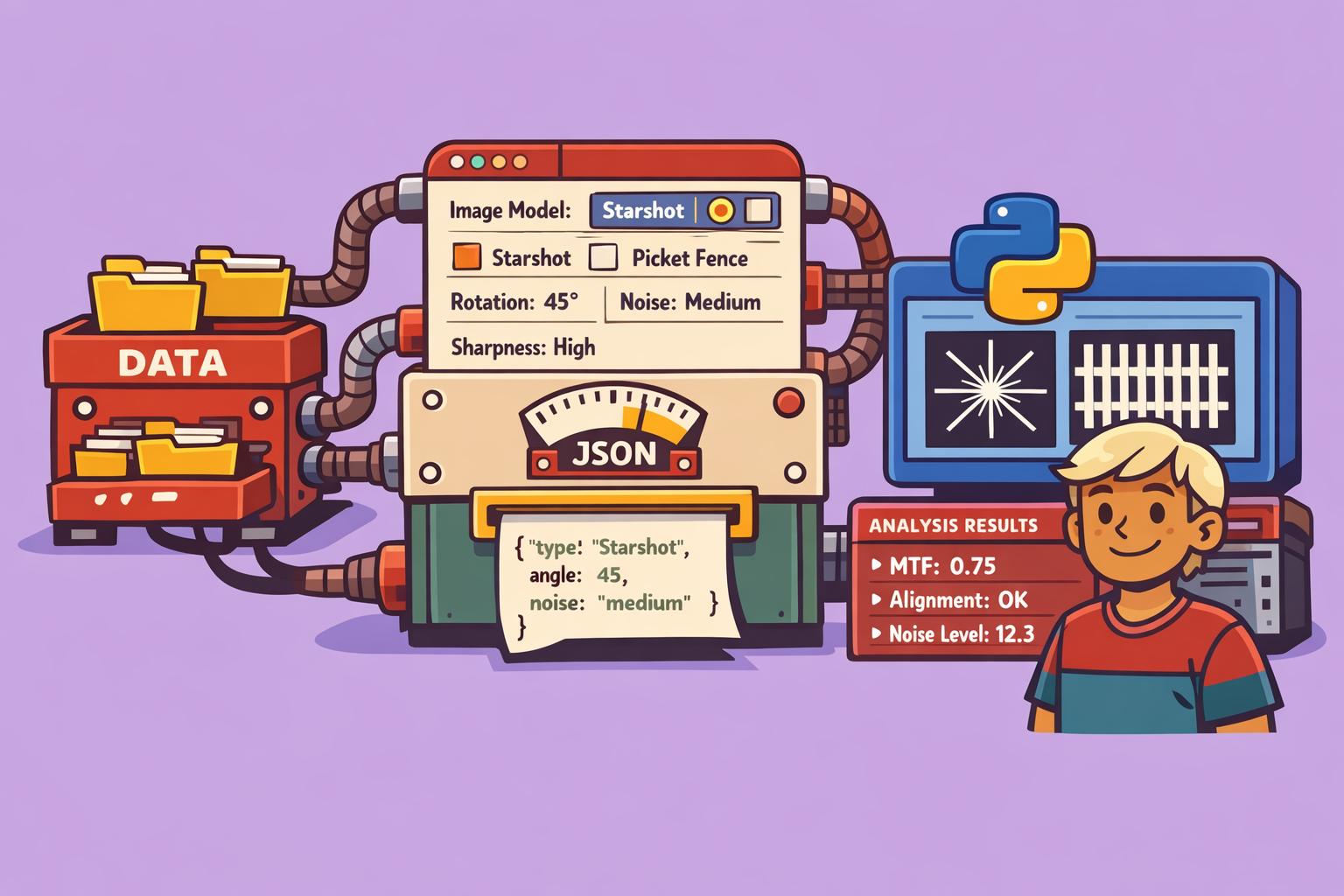
In the field of medical physics, ensuring the consistent performance of imaging systems is paramount for accurate diagnosis and treatment. Quality Assurance (QA) procedures often rely on test images to evaluate various parameters like spatial resolution, distortion, and noise. However, generating specific, customizable test images can be a challenge. This is where the Image Test Generator comes into play—a powerful web application built with Streamlit and the Pinac library.
Introduction to Image Test Generator
The Image Test Generator is an intuitive web-based tool designed to create custom test images for analyzing the response of various medical physics QA software, such as those used for picket fence, starshot, or Winston-Lutz tests. It provides the flexibility to simulate a range of imaging conditions, from sharp, clean images to blurred, noisy ones, effectively mimicking the characteristics of both new and aging imaging devices. This capability is invaluable for rigorously testing the robustness and accuracy of analysis software.
Step-by-Step Guide to Using the Image Test Generator
To get started, navigate to the web application hosted on the platform’s dedicated app site (e.g., kaptan-data-solutions.app). Once there, you’ll find a collection of tools for medical physics.
Here’s how to generate and use your custom test images:
1. Select Your Imager Model
Upon opening the application, the first step is to choose your imager model. Currently, there are three model choices available. For this demonstration, we’ll stick with the “1200” model.
2. Choose a Test Template
The application offers predefined templates for common QA tests. These templates automatically set up the basic geometry for your chosen test.
- For a Starshot test:
- Select “Starshot” from the template options. You will immediately see a star pattern appear on the image preview.
- Adjust Size and Rotation: You can modify the size (width) of the star pattern to cover the entire image if needed.
- Control Number of Spokes: Adjust the number of spokes in the star pattern. For example, you can reduce it to two or increase it to nine or eight, depending on your analysis requirements.
- For a Picket Fence test:
- Select “Picket Fence” from the template options. This will display a series of parallel lines (fences).
- Adjust Spacing and Thickness: You can control the spacing between the fence lines (e.g., set an interval of 40 units) and the thickness of the lines themselves (e.g., 5mm).
3. Apply Image Filters and Noise
To simulate different imaging conditions, the Image Test Generator allows you to apply filters and add noise.
- Gaussian Filter (Sharpness/Blur): Utilize the Gaussian filter option to adjust the sharpness or blurriness of the image. This is particularly useful for simulating variations in image focus or system resolution.
- Add Noise: To mimic a degrading or older imager, you can introduce random noise into the image. Simply activate the noise option, and the preview will update to show a noisier image. This helps in assessing how well your analysis software performs under suboptimal conditions.
4. Download and Analyze Your Custom Image
Once you are satisfied with your custom test image:
-
Download the Image: Click the download button (e.g., “Download image”) to save the generated image. The image will typically be downloaded in PNG format.
-
Utilize with QA Software:
- Open your specific QA analysis application (e.g., an online Starshot analysis tool).
- Upload the downloaded PNG image to the analysis tool.
- The QA tool will then process the image. For example, in a Starshot analysis, it will identify the rotation center and provide results. For a Picket Fence analysis, it will detect the fence lines and report on their spacing and uniformity.
Example Use Cases and Benefits
Let’s illustrate with an example. If you generate a picket fence image with significant noise and download it:
- Upload to Picket Fence Analysis Tool: Upload this image to a picket fence analysis software (like the one demonstrated, which often includes AI-powered detection).
- Observe Analysis: The software will display the processed image, identifying the fence lines even with the added noise. It will then provide analysis results, including the spacing between lines and overall uniformity. Even with substantial noise, if the lines are well-defined, the analysis tool can still accurately detect them and report on the lack of dispersion.
The ability to generate such varied test images is invaluable for:
- Software Validation: Rigorously test new QA software or updates to existing ones under diverse conditions.
- System Performance Monitoring: Evaluate how analysis tools respond to images from aging hardware by simulating blur and noise.
- Training and Education: Create specific scenarios for teaching and training medical physicists on image analysis and QA protocols.
- Troubleshooting: Generate images that replicate specific artifacts or issues encountered in clinical images to fine-tune analysis algorithms.
Conclusion
The Image Test Generator is a remarkably useful tool for medical physics professionals. By leveraging the power of Streamlit and Pinac, it offers a user-friendly way to create highly customizable DICOM-like test images. This significantly enhances the ability to perform comprehensive QA, simulate diverse imaging environments, and ensure the reliability and accuracy of image analysis software, ultimately contributing to better patient care. The application demonstrates how modern web technologies can effectively address specific needs within specialized scientific fields.
🔍 Discover Kaptan Data Solutions — your partner for medical-physics data science & QA!
We're a French startup dedicated to building innovative web applications for medical physics, and quality assurance (QA).
Our mission: provide hospitals, cancer centers and dosimetry labs with powerful, intuitive and compliant tools that streamline beam-data acquisition, analysis and reporting.
🌐 Explore all our medical-physics services and tech updates
💻 Test our ready-to-use QA dashboards online
Our expertise covers:
🔬 Patient-specific dosimetry and image QA (EPID, portal dosimetry)
📈 Statistical Process Control (SPC) & anomaly detection for beam data
🤖 Automated QA workflows with n8n + AI agents (predictive maintenance)
📑 DICOM-RT / HL7 compliant reporting and audit trails
Leveraging advanced Python analytics and n8n orchestration, we help physicists automate routine QA, detect drifts early and generate regulatory-ready PDFs in one click.
Ready to boost treatment quality and uptime? Let’s discuss your linac challenges and design a tailor-made solution!
Get in touch to discuss your specific requirements and discover how our tailor-made solutions can help you unlock the value of your data, make informed decisions, and boost operational performance!
Comments