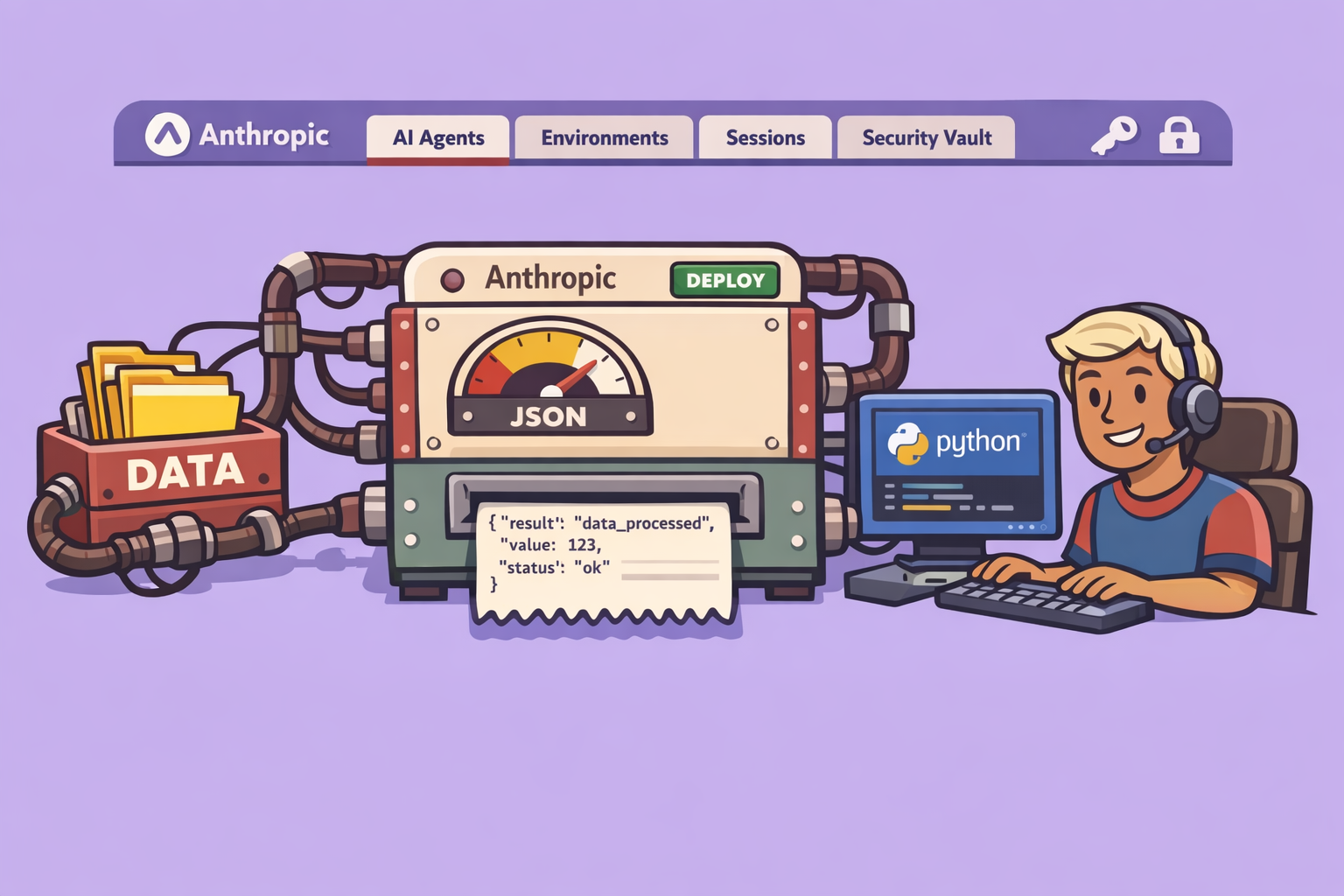
Anthropic has introduced a groundbreaking service called Cloud Managed Agents, currently in public beta since April 8th. This service dramatically reduces the time required to deploy an AI agent into production, from months to mere days. This post will delve into what Cloud Managed Agents are, guide you through creating your first agent, discuss pricing, reveal limitations, and address the crucial question: Does this render existing automation platforms obsolete?
The Challenge of Deploying AI Agents
Historically, bringing an AI agent into production has been a complex, multi-month endeavor. It involves several critical steps:
- Secure Environment: Building a safe sandbox where the agent can operate without causing unintended issues.
- Agent Logic: Coding the agent’s “brain” to determine its actions and their order.
- Tool Integration: Connecting tools for tasks like reading files, sending emails, or calling APIs.
- State Management: Ensuring the agent remembers past actions across sessions.
- Error Handling: Implementing robust mechanisms to manage failures.
Cloud Managed Agents address these challenges by managing all these complexities for you. This includes secure containers, sandboxed execution, tool management, persistent sessions, prompt caching, and compaction. Essentially, you describe your agent’s objective, and Anthropic handles the operational heavy lifting.
Why Cloud Managed Agents Matter
Major companies like Notion are already leveraging this technology in production. For instance, their teams can drag and drop a task to a different status, and a Claude agent automatically takes over to execute it. This demonstrates the service’s maturity and real-world applicability beyond theoretical lab concepts.
Understanding Cloud Managed Agents: Key Concepts
To grasp the full potential of Cloud Managed Agents, four core concepts are essential:
- Agent: This defines what your AI assistant can do. It specifies the model (Sonnet, Opus, Haiku), its system prompt, allowed tools, connected MCPs (Management Control Planes), and custom skills. Think of it as the agent’s recipe.
- Environment: This is the secure cloud container (the “kitchen”) where your agent’s recipe runs. It comes with pre-installed packages for Python, Node.js, or Go, and allows for network access and file mounting configurations.
- Session: When you execute an agent within an environment to perform a specific task, you create a session. Each session has its own persistent file system, allowing the agent to write and retrieve files later. This “stateful” nature is a game-changer for long-running workflows.
- Events: These are all the messages exchanged during an active session. Every action—sending a message, the agent calling a tool, or the tool responding—is an event, meticulously traced and persisted server-side for complete visibility.
Built-in Capabilities and Tooling
Upon deployment, your agent gains access to a powerful suite of tools without any additional coding:
- Shell Commands: Execute bash commands directly within its container, similar to a local terminal. This includes installing packages, running scripts, and manipulating files.
- File Operations: Read, write, and edit files within its environment.
- Web Search: Search the internet and retrieve web pages, enabling tasks like competitive intelligence or information extraction.
- MCP Connectors: Connect to services like Notion, Gmail, Supabase, and GitHub. Anthropic manages tokens and authentication through a secure vault system, simplifying access management.
- Skills: Utilize custom skills, similar to those found in Claude Code or OpenAPI, to enhance agent capabilities.
The persistence of file systems between interactions is a significant advantage, allowing agents to pause and resume tasks with full context, crucial for complex, multi-step workflows.
Step-by-Step Guide: Creating Your First Agent
Let’s walk through building a YouTube content multiplication agent using Anthropic’s console.
Step 1: Access the Anthropic Console
- Navigate to
platform.claude.comand log in with your Anthropic account. - Go to the
Managed Agentssection, marked “New.” This area provides access to Quick Start, Agents, Agent Sessions, Environments, and Vaults (for storing credentials).
Step 2: Use Quick Start to Define Your Agent
- In
Quick Start, you can either use existing templates or describe your desired agent directly. - Define the Agent’s Purpose: Input a prompt like: “I want an agent that multiplies YouTube content. Given a YouTube video transcript, it should generate five independent tweets, one LinkedIn post, and three YouTube Short hook ideas. It should push this content into a Notion database I’ve named ‘Content Pipeline’.”
- Initial Agent Creation: Anthropic’s system will automatically define the agent, assign a model (e.g., Sonnet), create a system prompt, and add an MCP server for Notion, along with the necessary tools.
Step 3: Configure the Environment
- After the initial agent setup, the console will prompt you to configure an environment. Choose to create a new environment.
- Network Access: Specify network access. For this example, select “Notion only” to limit and secure the agent’s external connections.
- The system will then create a secure environment with the specified network access.
Step 4: Start a Session and Manage Credentials
- The console will explain that sessions are instances of your agent running in an environment and require Notion access.
- Create a New Vault: To grant Notion access, it will ask to create a “vault” for storing credentials. It is recommended to create separate vaults for different environments (e.g., development/production) and for agents requiring different tool access for enhanced security.
- Connect to Notion: Follow the prompts to authenticate and grant access to your Notion database, similar to connecting tools in platforms like n8n or Make.
Step 5: Test Your Agent
- Once the agent is ready and connected to Notion, initiate a test session.
- Provide Input: For our YouTube content multiplier, paste a YouTube video transcript (e.g., obtained from a tool like Happify) into the test panel.
- Monitor Execution: Observe the debugging session on the right. It will display the agent’s thought process (
thinking), tool calls (e.g., interacting with Notion to find your “Content Pipeline” database), and output. - Verify Results: Check your Notion database. You should see the generated tweets, YouTube Short hooks, and LinkedIn post entries, demonstrating the agent’s successful execution.
Step 6: Explore Session Details and Usage
- Session Overview: From the “Sessions” screen, you can click on the recently executed session to view a detailed timeline of its actions, including execution duration for each step, and logs.
- Agent Information: The session details will also show which model was used (e.g., Sonnet 4.6), environment details, credential vault, execution time, and token consumption (input/output).
- Usage Tracking: The “Usage” section provides a comprehensive overview of token consumption and associated costs over time.
Costs and Pricing Model
Understanding the cost of Cloud Managed Agents requires looking at two layers:
- Infrastructure Runtime: This is the cost for the cloud container running your agent. It’s priced at $0.08 per hour of active execution. Crucially, you are not charged when the agent is idle.
- Token Consumption: This covers the tokens consumed by your chosen Claude model (Sonnet, Opus, Haiku). Pricing is standardized, identical to direct API calls to Claude.
Cloud Managed Agents vs. Other Platforms
When considering production AI agents, there are three main categories of solutions:
- Managed Monomodel Platforms (e.g., Cloud Managed Agents, OpenAI Agent Kit):
- Pros: Everything is managed for you (harness, tools, sessions). Excellent for rapid deployment and ease of use.
- Cons: Vendor lock-in; you can only use that platform’s models.
- Managed Multimodel Platforms (e.g., AWS Bedrock Agent Core):
- Pros: Flexibility to switch between different AI models.
- Cons: Complex and unpredictable pricing, often tied to CPU/RAM consumption plus token usage.
- Universal Sandboxes (e.g., Modal, Daytona, E2B):
- Pros: Maximum flexibility; you pay for infrastructure (typically $0.05-$0.12/hour for a small sandbox) and can connect any model (Claude, ChatGPT, Llama, Mistral, even local models).
- Cons: You’re responsible for building the entire agent harness yourself—the agent loop, tool execution, session management, file persistence, and error handling. This can require significant development effort.
Lesson Learned: For beginners or those needing rapid deployment, managed monomodel platforms like Cloud Managed Agents offer an unbeatable learning curve and speed. For experienced DevOps teams prioritizing vendor neutrality, universal sandboxes might be infrastructure-cheaper but require extensive custom development.
Limitations
While powerful, Cloud Managed Agents do have limitations:
- Beta Status: As a beta product, behaviors may change between releases. Exercise caution for mission-critical production deployments.
- Feature Availability: Some advanced features (e.g., structured outcomes, multi-agent collaboration, long-term persistent memory) are in “research preview” and available only by request.
- No Native Triggers: There are no built-in webhooks or cron jobs. You cannot simply schedule an agent to run every 5 minutes from the interface. Agent execution must be initiated via the Claude API (HTTP calls, SDK) from an external system.
- No Visual Interface: Unlike n8n or Make, there’s no drag-and-drop visual builder for workflows, which might be a drawback for users who prefer graphical interfaces.
Cloud Managed Agents vs. n8n/Make: Complementary, Not Competitive
The question of whether Cloud Managed Agents will replace n8n or Make is a common one. The answer is no, they are not direct competitors; they are complementary tools.
- Cloud Managed Agents: Designed for autonomous, intelligent tasks—reasoning, decision-making, content generation, complex analysis, information extraction. They excel at “long-running” sessions that involve persistent context and advanced cognitive functions.
- n8n / Make: Built for deterministic, multi-tool workflows—connecting disparate SaaS applications (e.g., Stripe to Google Sheets, Slack to Airtable), triggering actions based on webhooks, and transforming data formats. They are the “arms” that orchestrate actions across various services.
The Winning Pattern for 2026: The most effective strategy involves combining these strengths:
- n8n/Make as the Trigger: Use n8n or Make to capture triggers (e.g., a new email, a webhook, a form submission).
- Call the Managed Agent: n8n/Make then calls your Cloud Managed Agent to perform the intelligent analysis, decision-making, and content generation.
- n8n/Make for Final Actions: If needed, n8n/Make can then take over to perform follow-up actions in other SaaS applications, leveraging their extensive integrations.
This hybrid approach offers the best of both worlds: the predictability and vast ecosystem of n8n/Make combined with the powerful reasoning capabilities of an intelligent cloud agent.
Recommendations for Getting Started
- Create Your First Agent: Head to the Anthropic console’s “Managed Agents” section. Pick a straightforward use case you’re familiar with. You’ve seen in the demo that it takes less than 10 minutes to get started. Don’t overthink it; just build and test.
- Identify Agent Candidates in Existing Workflows: Review your current n8n workflows. Look for steps that demand true reasoning—those where you stack multiple HTTP requests to call an LLM directly, struggling with complex prompts and parsing. These steps are prime candidates for offloading to a Cloud Managed Agent.
- Package as a Service: If you’re a freelancer or consultant, consider offering “Autonomous AI Agent Deployment” as a service. This type of high-value offering can command significant fees for clients looking to enhance rigid workflows with intelligent automation.
If you are new to the Claude ecosystem, consider exploring comprehensive tutorials on Claude Code, as it shares a similar philosophy and foundational concepts with Managed Agents.
🔍 Discover Kaptan Data Solutions — your partner for medical-physics data science & QA!
We're a French startup dedicated to building innovative web applications for medical physics, and quality assurance (QA).
Our mission: provide hospitals, cancer centers and dosimetry labs with powerful, intuitive and compliant tools that streamline beam-data acquisition, analysis and reporting.
🌐 Explore all our medical-physics services and tech updates
💻 Test our ready-to-use QA dashboards online
Our expertise covers:
🔬 Patient-specific dosimetry and image QA (EPID, portal dosimetry)
📈 Statistical Process Control (SPC) & anomaly detection for beam data
🤖 Automated QA workflows with n8n + AI agents (predictive maintenance)
📑 DICOM-RT / HL7 compliant reporting and audit trails
Leveraging advanced Python analytics and n8n orchestration, we help physicists automate routine QA, detect drifts early and generate regulatory-ready PDFs in one click.
Ready to boost treatment quality and uptime? Let’s discuss your linac challenges and design a tailor-made solution!
Get in touch to discuss your specific requirements and discover how our tailor-made solutions can help you unlock the value of your data, make informed decisions, and boost operational performance!
Comments