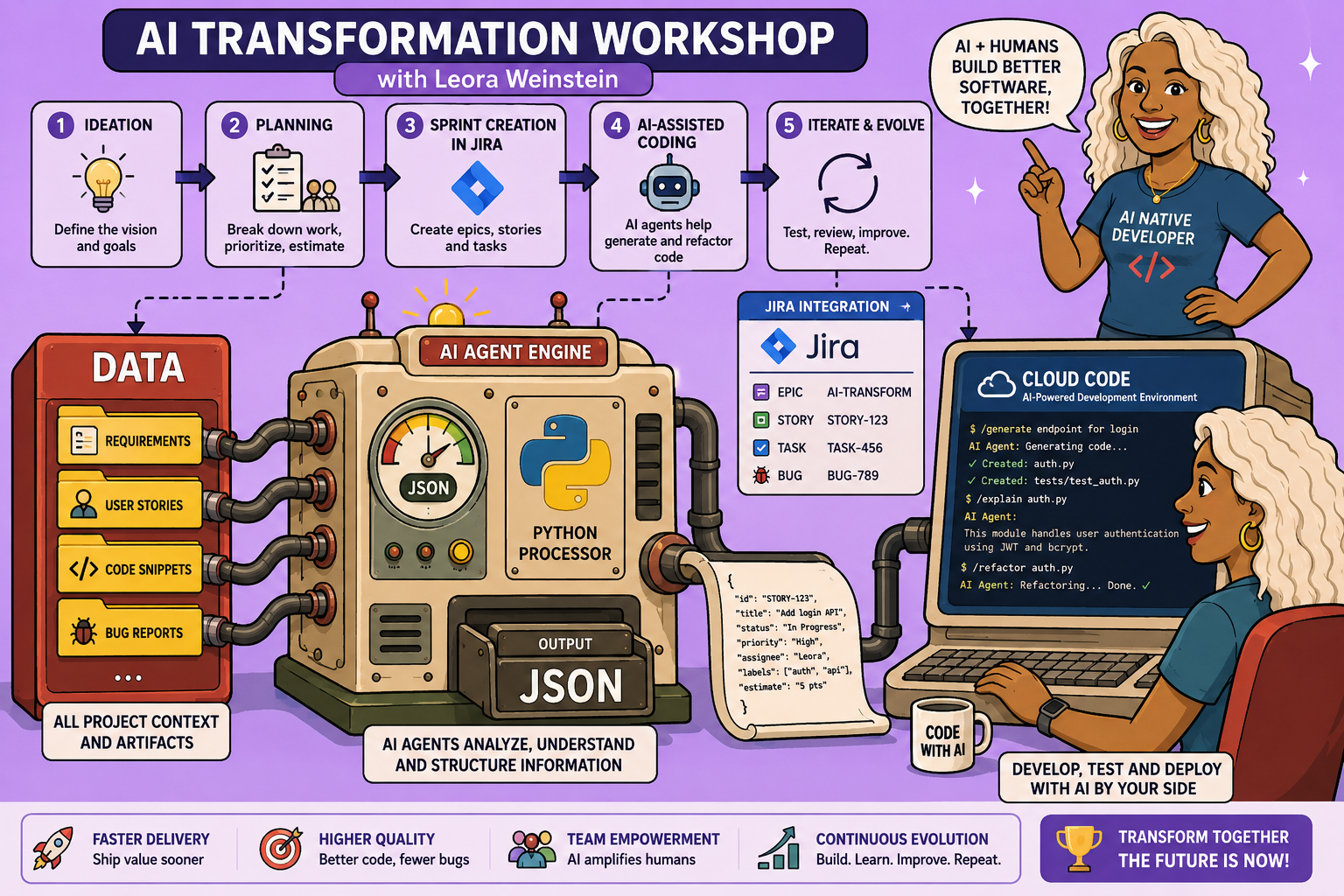
In the rapidly evolving landscape of software development, artificial intelligence is no longer a futuristic concept but a powerful tool that can fundamentally transform how engineers and product managers approach their work. This article outlines a practical, three-phase framework for leveraging AI coding assistants to achieve reliable and repeatable results, moving beyond over-engineered solutions to a core set of principles that empower developers and product managers alike.
The goal is to shift the engineer’s role from writing every line of code to focusing on higher-leverage tasks like planning and validating. This system is designed to be adaptable, working with various AI tools and project management systems, and emphasizes clarity, control, and continuous improvement.
The Three-Phase AI Coding Framework
This framework breaks down the AI-assisted development process into three distinct yet interconnected phases:
- Ideation with Coding Agents: Brainstorming and defining the scope of work.
- Building with an Iterative Loop (PIV Loop): Developing and validating individual tasks.
- System Evolution Mindset: Continuously improving your AI system based on experience.
This approach ensures that while AI handles much of the heavy lifting, human oversight and strategic thinking remain central to the development lifecycle.
Phase 1: Ideation – Scoping Your Work with AI
The ideation phase is where product managers and developers collaborate with AI to define project requirements and break them down into manageable tasks.
Step 1: Initial Brain Dump and Clarification
- Start Conversational: Begin by simply conversing with your AI coding agent about what you want to build. This initial “brain dump” can be free-form, using speech-to-text tools to outline your ideas, desired features, bugs to fix, or new applications. Be as specific as possible about the application’s purpose, its current state, and the desired outcomes.
-
AI-Guided Clarification: Crucially, instruct the AI to ask clarifying questions one at a time. This interactive process helps reduce assumptions and ensures the AI fully understands the scope. The responsibility lies with the user to ensure alignment between their vision and the AI’s interpretation. This stage prioritizes high-level requirements without delving into implementation details.
Example: If building a new feature for a poll builder, specify desires like “live presentation mode,” “QR code generation,” or “multi-question polls.” The AI might then ask, “How should real-time updates work?” presenting multiple-choice options for quick refinement.
Step 2: Creating Your AI Layer (Optional but Recommended)
For existing codebases or recurring tasks, building an “AI layer” significantly enhances efficiency:
- Global Rules: Define conventions that your AI agent should always follow (e.g., coding styles, testing strategies, logging practices).
-
Commands and Skills: These are reusable workflows. If you find yourself repeatedly prompting the AI for a specific procedure (e.g., planning a feature, creating a Product Requirements Document (PRD)), turn it into a command or skill. This promotes standardization and saves time.
Example: A
slash plancommand could encapsulate your entire planning process, ensuring consistency.
Step 3: Generating the Product Requirements Document (PRD)
- Structure the Conversation: After the clarifying Q&A, use a command (e.g.,
/create_PRD) to transform the unstructured conversation into a structured PRD. This command defines the standard sections (executive summary, mission, target users, etc.) for a comprehensive document. -
Review and Validate: The generated PRD is a critical artifact. Review it thoroughly to ensure it accurately reflects your requirements. This human-in-the-loop review is paramount to catch any lingering misunderstandings before proceeding. Even with AI, validation remains crucial.
Example: The PRD will outline all the in-scope items for a sprint, like “Full-screen presenter presentation page” or “Animated bar chart for real-time updates.”
Step 4: Creating Jira Tickets (or GitHub Issues, etc.)
- Automate Task Creation: Once the PRD is validated, use another command (e.g.,
/create_stories) to automatically parse the PRD and generate individual tasks or “stories” in your chosen project management system (Jira, GitHub Issues, Linear, etc.). - Integrate with MCP Servers: Leverage Management Command Protocol (MCP) servers (like
Comments